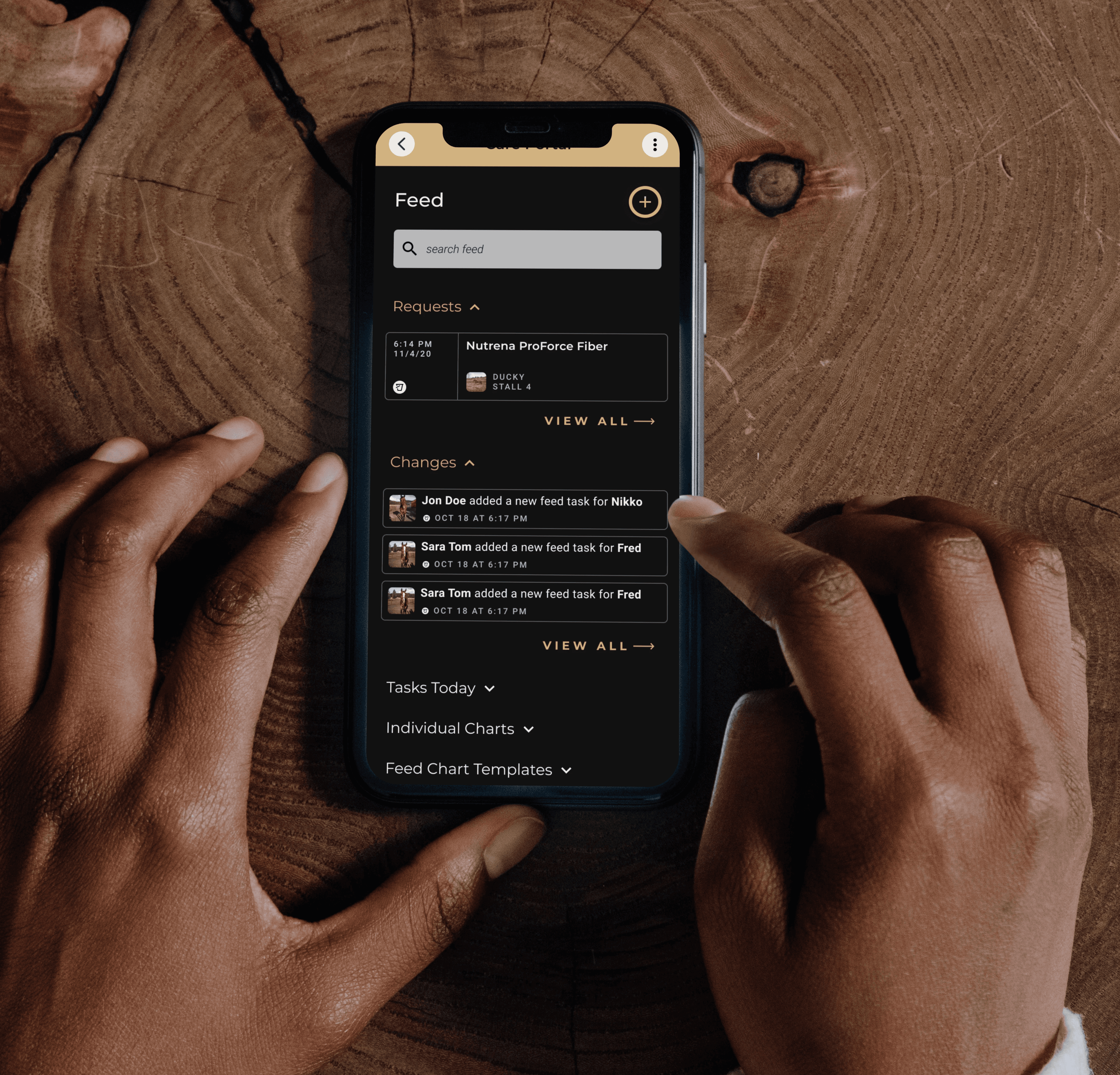
Simplifying Equestrian Workflows with a SaaS Platform
A mobile-first SaaS platform for managing horse care, training, and communication.
INDUSTRY
Equestrian Technology
Role
UI/UX Designer
Team
3 person design team working cross-functionally
Tools
Figma, Jira, Flutter
Contributions
Wireframing, Prototyping, Design Systems, Responsive Design, Accessibility
ENVIRONMENT
Remote Startup
Overview
Equestrian workflows don’t happen at a desk. They happen in barns, arenas, and competition venues, often with a horse in one hand and a phone in the other. Yet the tools available to riders, trainers, and yard managers were fragmented: a mix of generic apps, group chats, and paper records that created as many problems as they solved. This project set out to change that. We designed a mobile-first SaaS platform to unify scheduling, communication, and horse care management into a single experience built specifically for how equestrians actually work.
Goal
Create a mobile-first platform that unifies scheduling, communication, and horse care management into a single intuitive experience designed for fast, real world barn workflows.
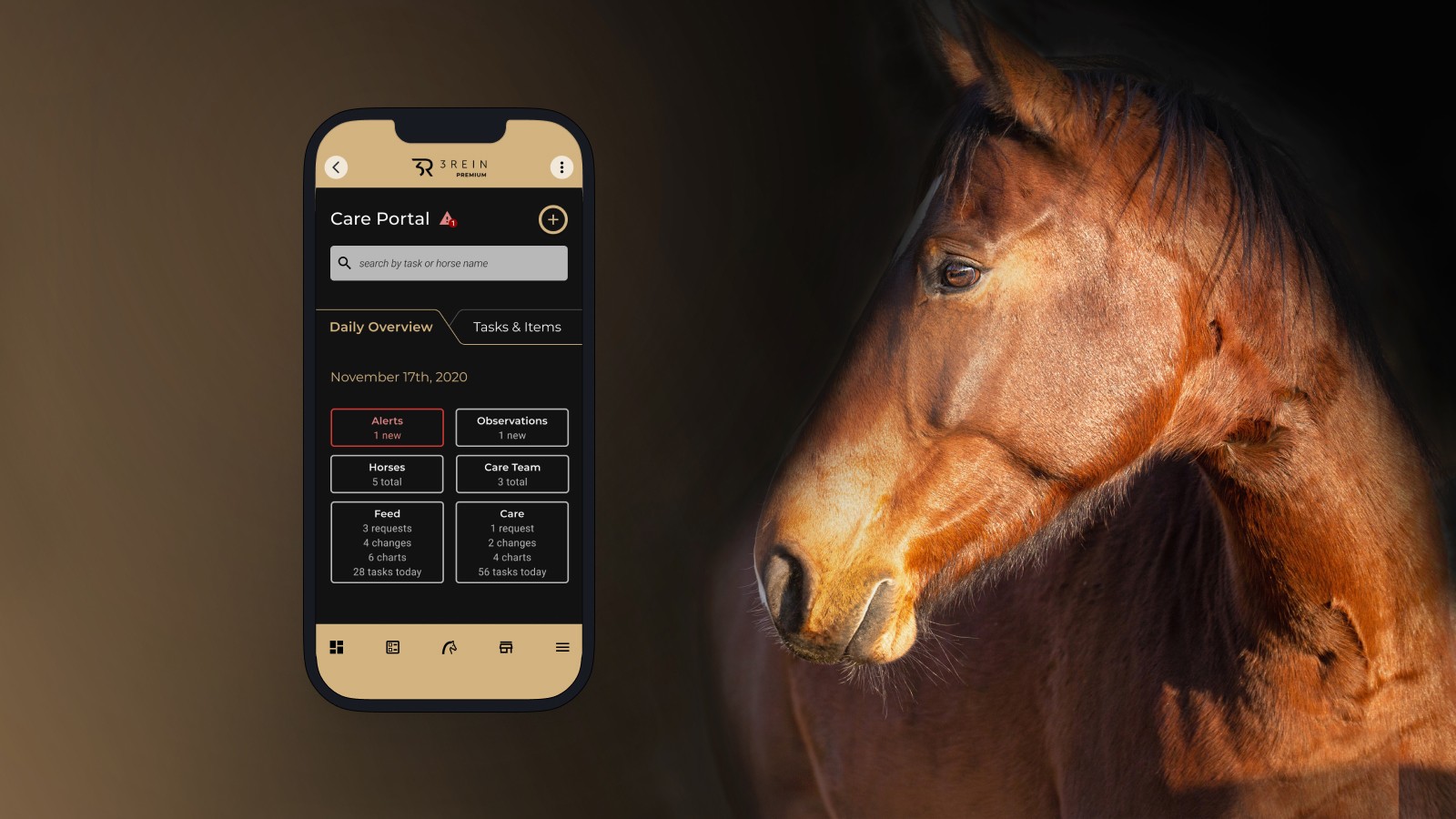
Too Many Tools, Not Enough Time
The equestrian world runs on routines. Horses need feeding, medication, exercise, and care on precise schedules. Trainers coordinate lessons and events. Owners want visibility into their horse’s wellbeing. Vets need accurate health records. And all of this coordination was happening across a patchwork of text threads, spreadsheets, and memory.
The result was predictable. Things were missed. Communication broke down. And when a workflow became too cumbersome, people skipped the tool entirely and picked up the phone. The problem wasn’t a lack of technology. It was that none of the available tools had been built with the barn environment in mind.
If completing a task felt too cumbersome, users would abandon the app and just call the trainer. We had to earn every interaction.”
Our job was to design something that fit into the rhythm of barn life rather than interrupting it. Fast, clear, and relevant whether you were a professional trainer managing a barn of twenty horses or an owner checking in on one.
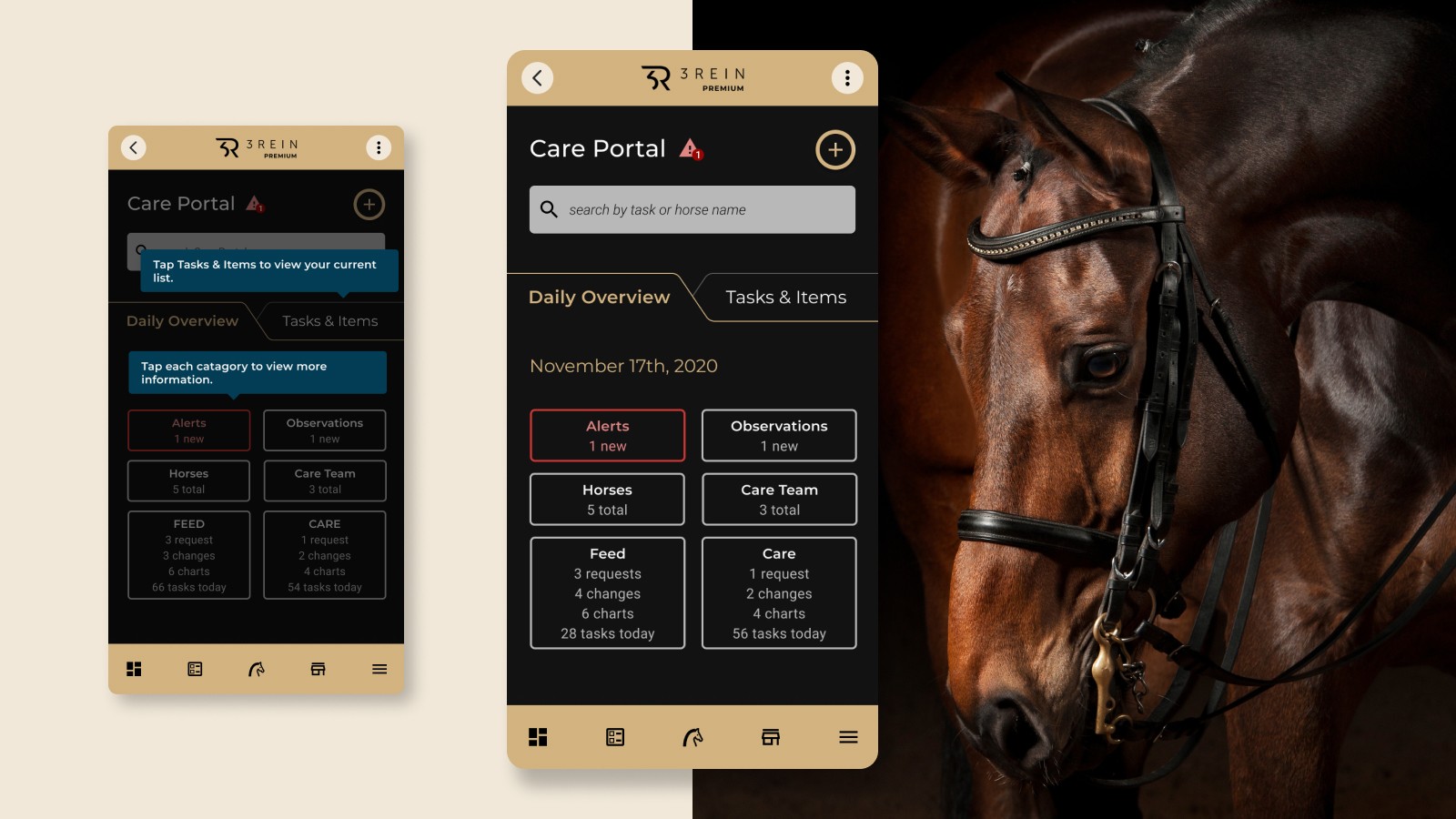
Designing for People Who Are Never at Their Desk
Research confirmed what the brief had suggested: our users were not a single type. They spanned professional trainers, grooms, horse owners, and veterinarians. Each had different levels of technical comfort, different daily routines, and different definitions of what the app needed to do.
What united them was context. Everyone was using this product on the go, often in environments that weren’t forgiving of slow load times, complex navigation, or screens that required two hands. Mobile-first wasn’t a design preference. It was a hard constraint.
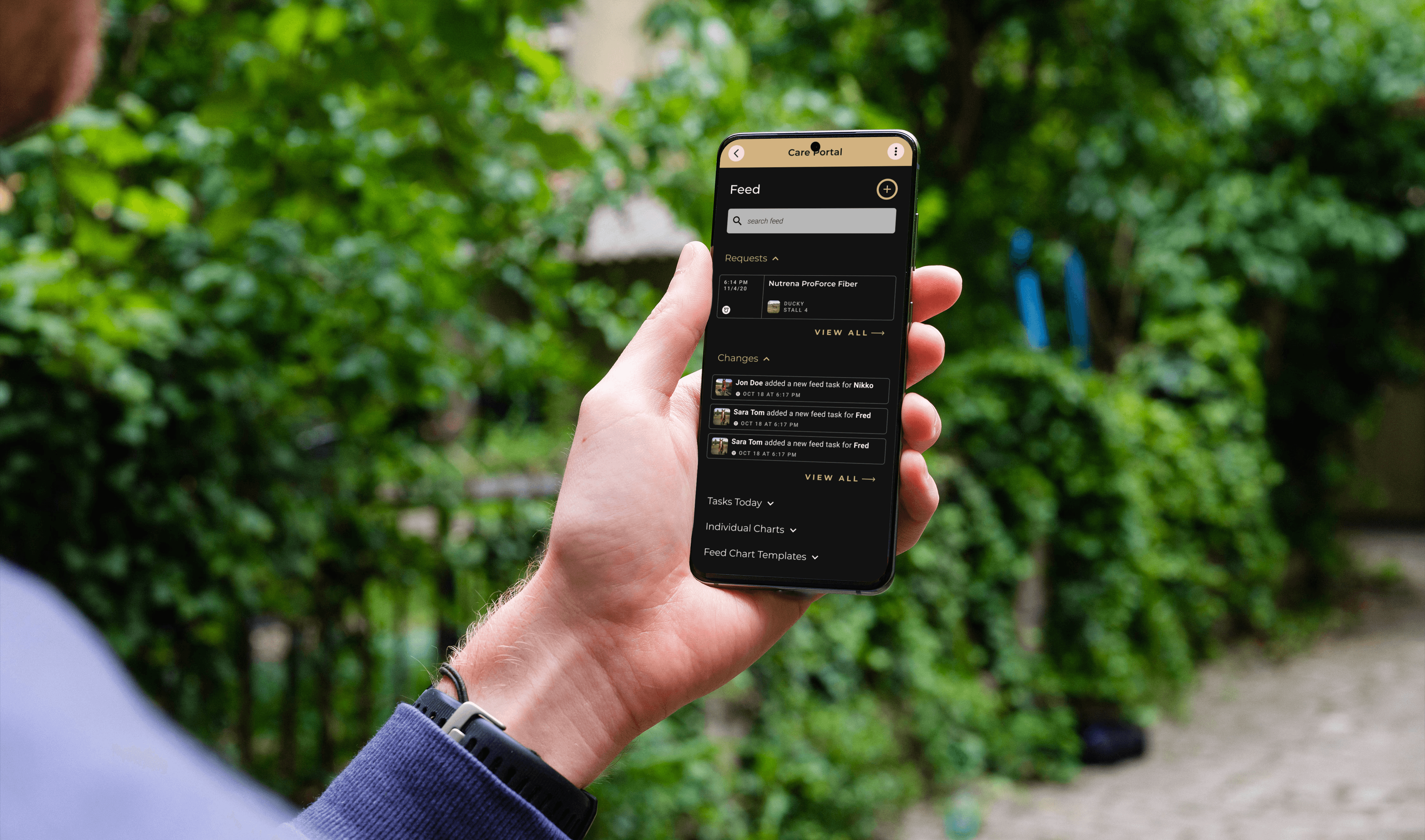
Three Tensions That Shaped Everything
The research surfaced three core tensions that would drive every design decision that followed:
TENSION 1: SIMPLE VS. COMPLETE
A horse owner scheduling a routine farrier visit needed a fast, frictionless experience. A veterinarian logging a medication protocol needed precision and detail. The same platform had to serve both without compromising either.
TENSION 2: MOBILE-FIRST VS. FEATURE-RICH
The barn environment demanded one-handed, glanceable interactions. But the workflows themselves, particularly around health records and event coordination, were genuinely complex. Fitting that complexity into a small screen without losing it was a constant design challenge.
TENSION 3: BROAD AUDIENCE VS. FOCUSED EXPERIENCE
The wider the user base, the harder it is to make anything feel purpose-built. We were designing for novice owners and power users at the same time, and the risk of trying to please everyone was a product that felt relevant to no one.
Simplify the Experience. Not the Problem.
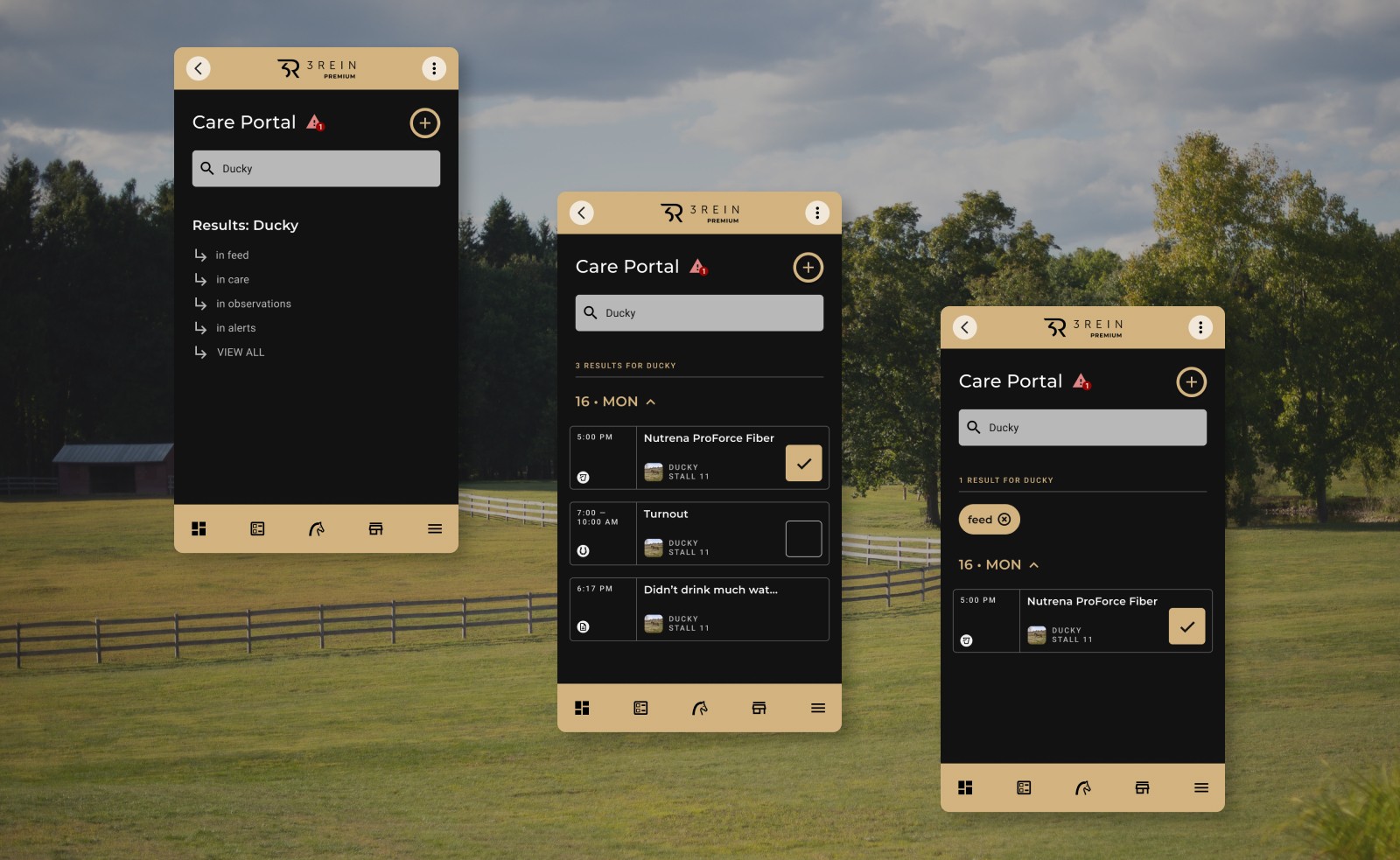
The temptation with a broad, complex problem is to simplify by removing. Cut the features, reduce the roles, narrow the scope. But that wasn’t the right answer here. The complexity was real. Horses need medication logs. Trainers need scheduling tools. Owners need visibility. Stripping those out wouldn’t make the product better. It would make it useless.
The opportunity was to simplify the experience of navigating that complexity, not the complexity itself. That reframe shaped everything that followed. We aligned around three design principles to guide the work:
Progressive disclosure: surface what’s essential first, reveal detail on demand
Role-aware workflows: let the user’s context shape what they see and how they move through the product
Templates and defaults: reduce repetitive input so experienced users could move fast without sacrificing accuracy
Every Screen Had to Earn Its Place
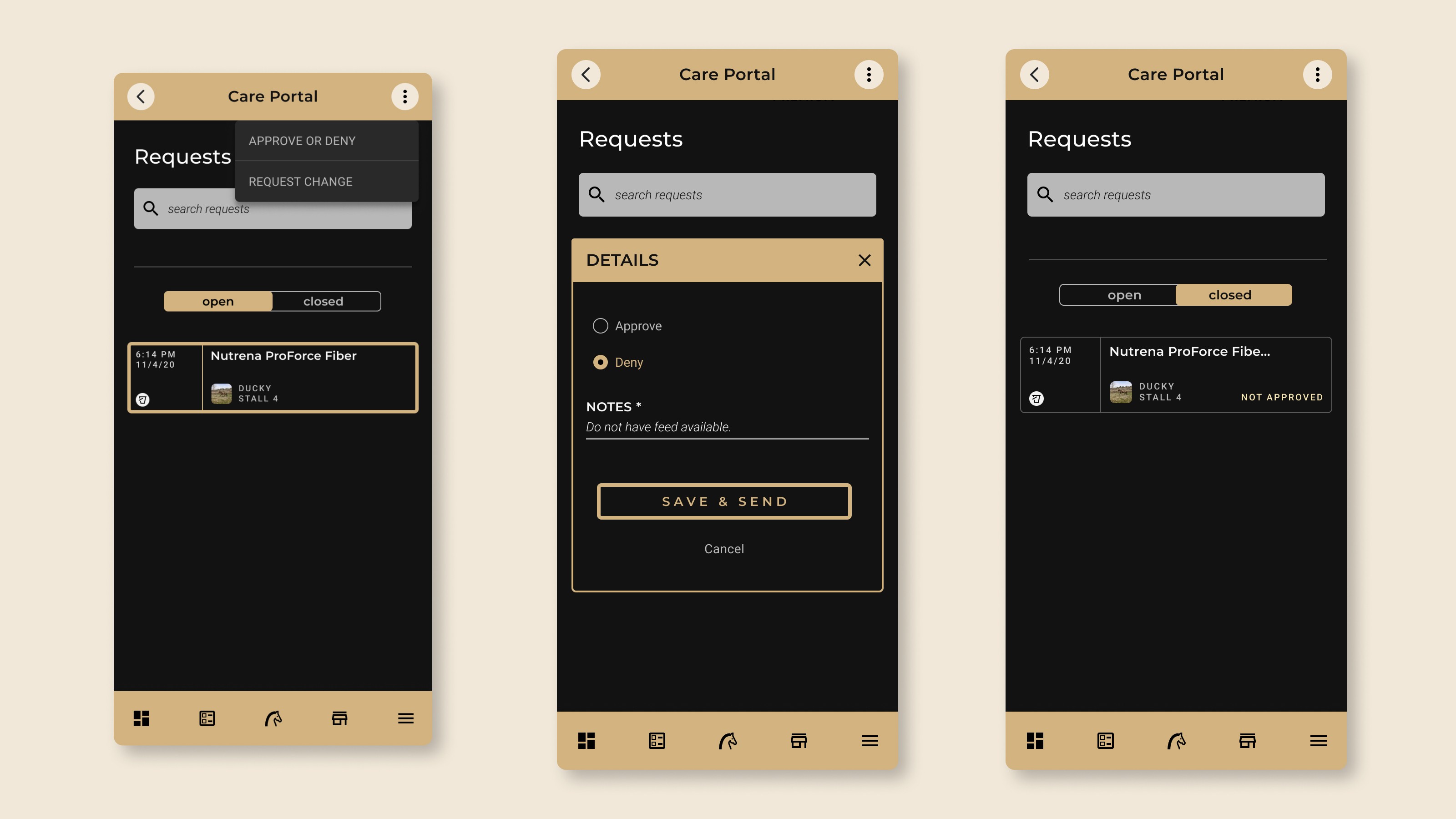
Design exploration was grounded in one question at every step: would someone in a barn, holding a horse, actually use this? That filter shaped decisions from navigation structure down to individual interaction patterns.
Guided flows over open forms
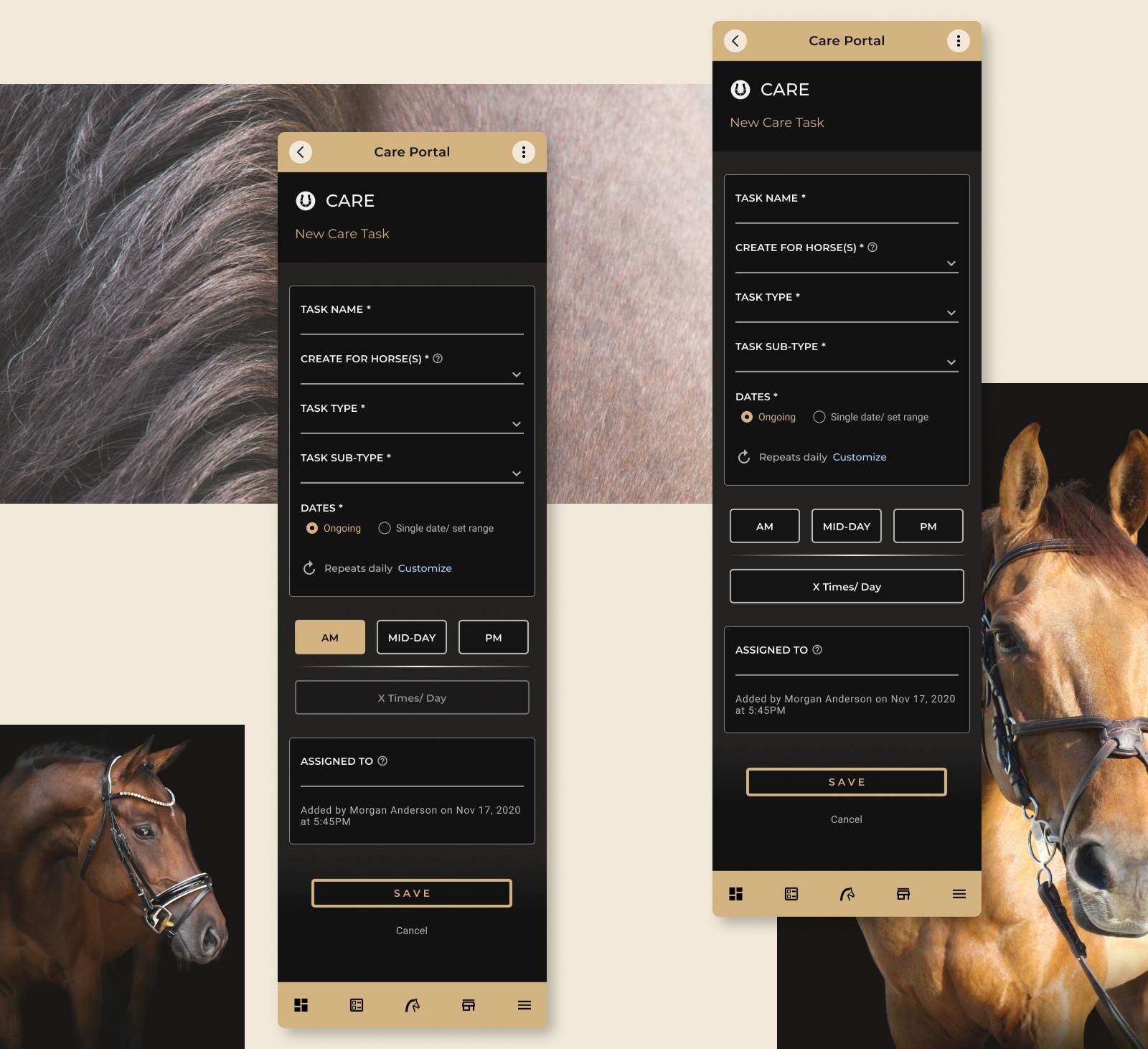
One of the earliest and most impactful decisions was to move away from open-form data entry toward guided, step-by-step flows. Rather than presenting users with a long form to complete, we broke tasks into discrete steps with clear progress indicators. Essential fields came first. Advanced options were tucked behind a secondary action, available but not intrusive. User testing confirmed this made tasks faster and reduced errors, particularly for complex workflows like medication schedules that required precision but couldn’t afford to slow a groom down mid-routine.
A design system built to scale
As the product grew in scope, consistency became critical. I helped build a Figma design system defining reusable components, interaction patterns, responsive layouts, and visual standards across web and mobile. The system served two purposes. For the design team, it meant we could iterate quickly without losing cohesion across screens. For engineering, it provided a clear implementation framework that reduced ambiguity and kept the Flutter build consistent with design intent.
It also supported role-specific workflows without fragmenting the product. Trainers could access granular controls. Grooms could move efficiently through daily tasks. Owners got contextual guidance where they needed it. One system, many paths through it.
Navigation Designed For The Environment
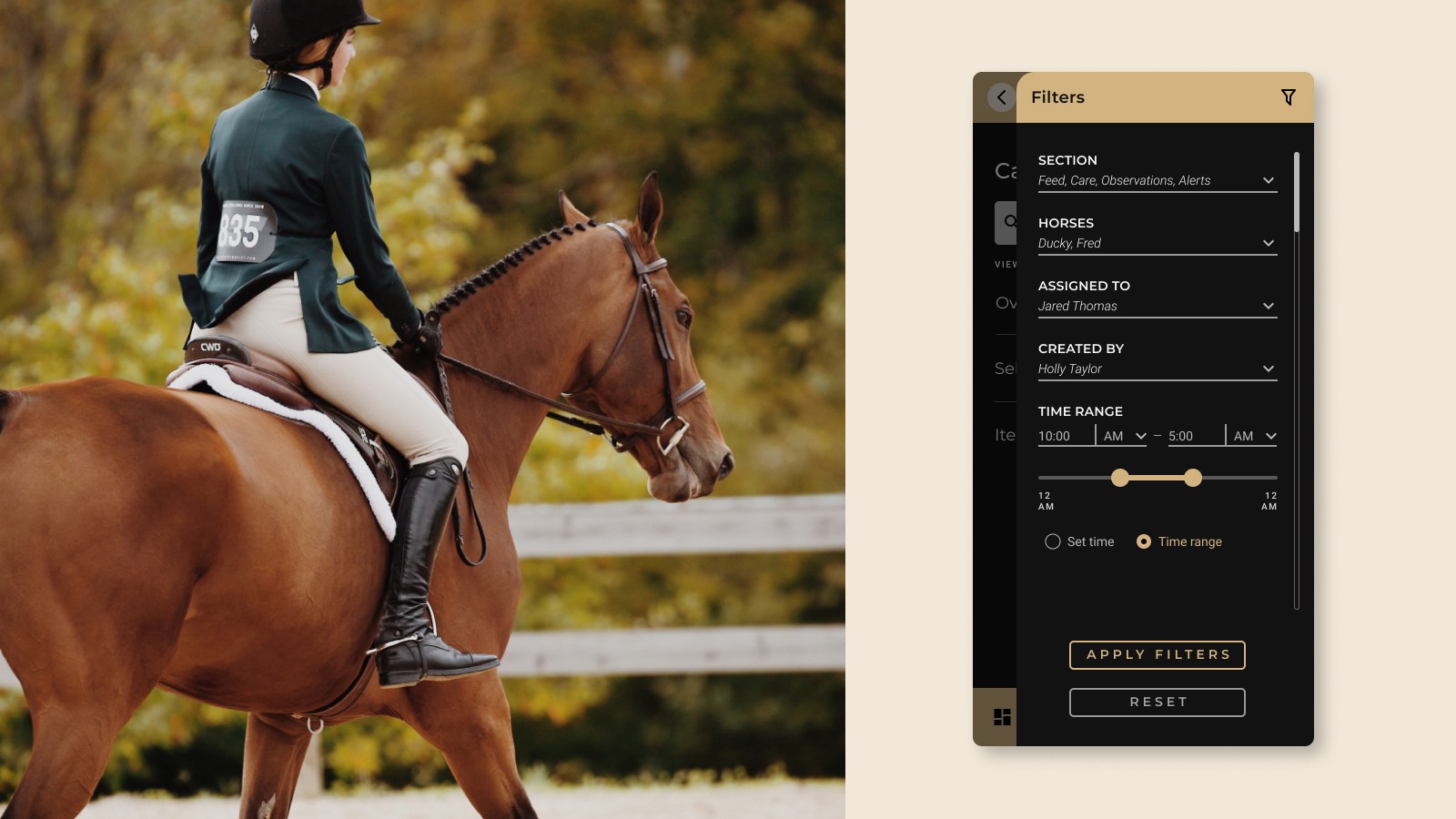
Standard navigation patterns built for desktop products didn’t translate to barn use. We designed for thumb reach, reduced the number of taps required to complete core tasks, and ensured that the most time-sensitive actions, checking a care plan, logging a health note, sending a message, were accessible within one or two interactions from any screen.
Designing within the limits of scope
Not every problem could be solved in a single product. Some workflows, particularly around multi-horse event coordination and specialist veterinary records, were simply too complex to fit cleanly into a mobile-first context without overwhelming the user.
Acknowledging that was itself a design decision. Rather than stretching the product to cover every scenario, we focused on doing the core workflows exceptionally well and designed clear entry points for future expansion. Progress was measured by how well the product served its primary users in their primary context, not by how many edge cases it covered.
Value Delivered Before Launch
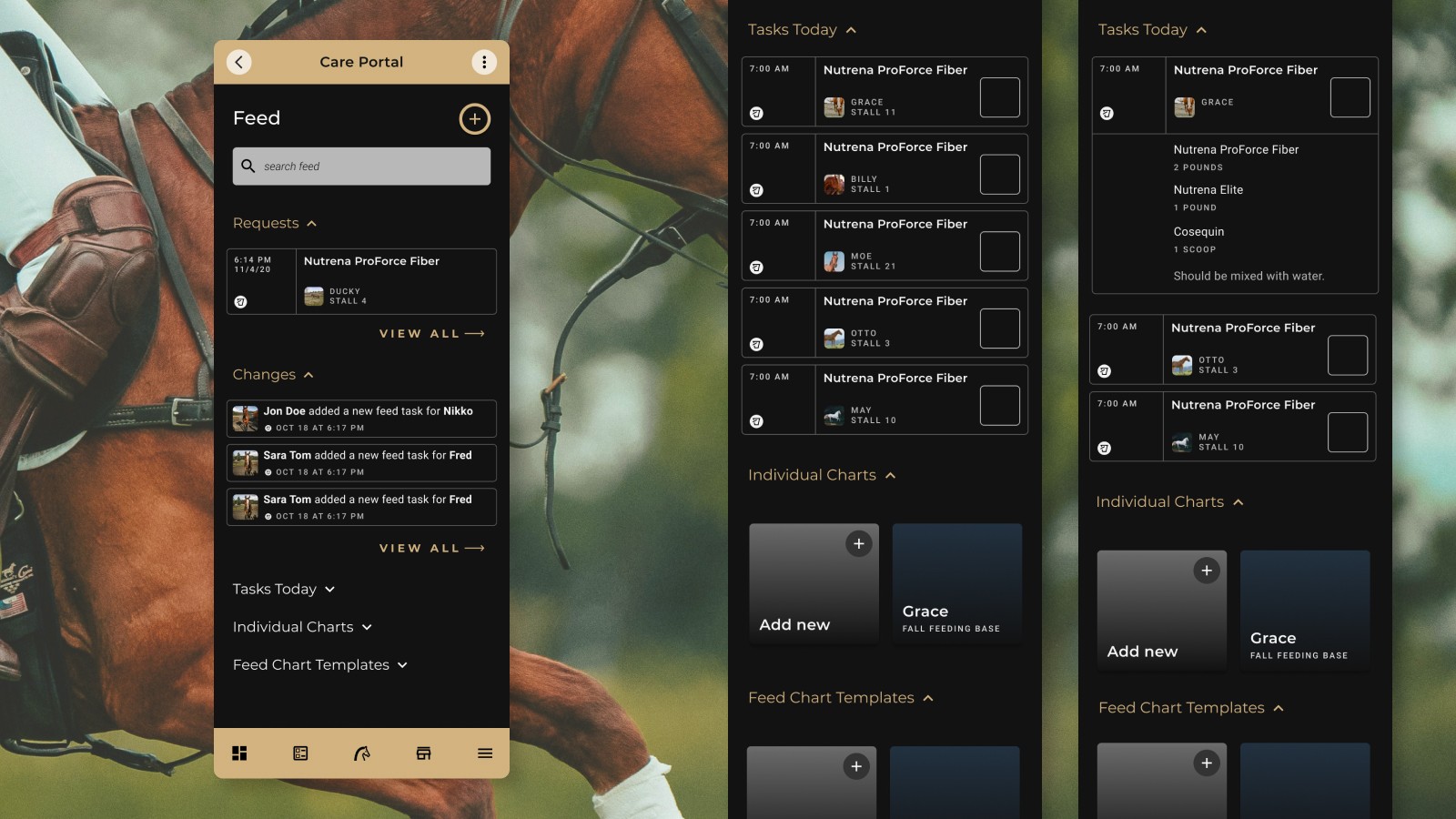
The platform was not fully launched. But the work delivered real value before it reached market, and left the product in a strong position for the next phase of development.
VALIDATED PROTOTYPES
Core workflows were tested and confirmed with users across multiple roles, clarifying what the product needed to do and where the biggest usability gains were.
SCALABLE DESIGN SYSTEM
A fully documented Figma system supporting consistent iteration, engineering handoff, and future feature growth across web and mobile.
MOBILE-FIRST FOUNDATIONS
Navigation patterns, interaction models, and component designs optimised for one-handed, fast-paced barn use.
A CLEARER PRODUCT STRATEGY
The design process surfaced scope and prioritisation decisions that sharpened the product roadmap and set realistic expectations for what a single tool could achieve.
Product Design Is as Much About Scope as It Is About Screens
The biggest lesson from this project wasn’t about interaction patterns or component libraries. It was about the limits of a single product. No matter how well-structured the design system, how carefully validated the prototypes, or how thoughtfully designed the workflows, a product that tries to fully serve every role in a complex domain will always feel like it’s stretching. The right response to that isn’t to design harder. It’s to make sharper decisions about what the product is actually for.
What I Owned on This Project
Designed core platform workflows from research insight through to high-fidelity prototype
Built and maintained a scalable Figma design system across web and mobile
Collaborated with engineering in agile sprints to ensure consistent, feasible implementation
Contributed to product strategy discussions around scope, prioritisation, and roadmap